# 발행
팝빌 전자명세서 발행에 대하여 안내합니다.
## 발행 안내
거래내역을 전자명세서로 작성하여 거래처에 전송하고 발행 내역을 관리할 수 있습니다.
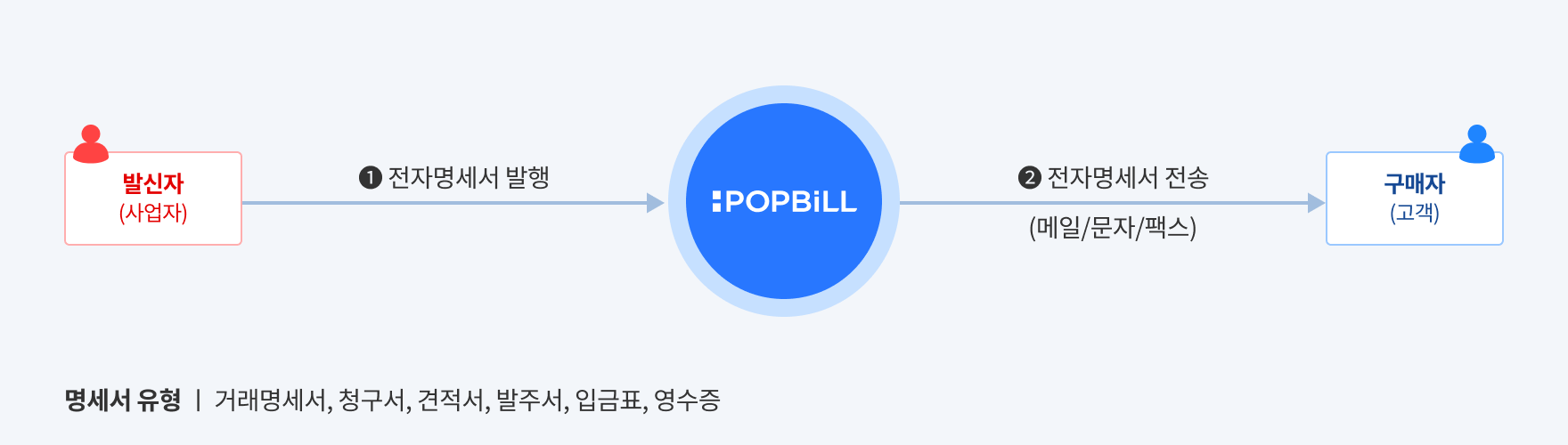
> 전자명세서는 사업자 간 거래내역 증빙을 위하여 보관하는 부속문서로 국세청에 신고되지 않습니다.
## 발행 프로세스
전자명세서 발행은 ‘임시저장’과 ‘발행’ 단계로 구분됩니다. 프로그램 공급사는 각 단계의 처리방식에 따라 구별되는 2가지 프로세스 중, 업무에 적합한 프로세스를 선택하여 구현할 수 있습니다.
- **즉시 발행 (권장)**\
임시저장과 발행을 한 번에 처리하는 방식으로, 프로그램 공급사의 트랜잭션 처리 편의성을 고려한 프로세스입니다. [\[RegistIssue - 즉시 발행\]](https://developers.popbill.com/api-reference/statement/api/issue#RegistIssue)
- **임시저장 후 발행**\
임시저장과 발행을 각각 별도의 트랜잭션으로 순차적으로 처리하는 방식입니다. [\[Register - 임시저장\]](https://developers.popbill.com/api-reference/statement/api/issue#Register) → [\[Issue - 발행\]](https://developers.popbill.com/api-reference/statement/api/issue#Issue)\
※ 파일첨부 기능을 이용하는 경우에는 “임시저장 후 발행” 방식에서만 사용 가능합니다.
**즉시 발행**
```mermaid
flowchart LR
WriteSender("발신자 작성")
Issued("발행완료
(300)")
Canceled("발행취소
(500)")
WriteSender -- RegistIssue
(즉시 발행) --> Issued
Issued -- Cancel
(취소) --> Canceled
classDef invoicee stroke-width:1px,font-weight:bold;
class WriteSender,Issued,Canceled invoicee
```
**임시저장 후 발행**
```mermaid
flowchart LR
WriteSender("발신자 작성")
Regist("임시저장
(100)")
Issued("발행완료
(300)")
Canceled("발행취소
(500)")
WriteSender -- Register
(임시저장) --> Regist
Regist -- Issue
(발행) --> Issued
Issued -- Cancel
(발행취소) --> Canceled
classDef invoicee stroke-width:1px,font-weight:bold;
class WriteSender,Regist,Issued,Canceled invoicee
```
## 문서번호 관리체계
문서번호란 전자명세서의 중복 발행을 방지하고 내부 관리를 위해 프로그램 공급사가 직접 생성하고 할당하는 고유번호 입니다.
| 관리주체 | 유형 | 변수명 | 길이 | 필수 | 설명 |
| -------- | -------- | ---------- | :-: | :-: | ----------------------------- |
| 프로그램 공급사 | 공급자 문서번호 | mgtKey | 24 | Y | 영문, 숫자, ’-’, ’\_’ 이용 가능 |
| 팝빌 | 팝빌 승인번호 | invoiceNum | 24 | Y | 팝빌 내부관리 목적으로 전자명세서 발행과 동시에 생성 |
## 상태확인
팝빌에서 처리된 전자명세서 상태 확인을 위해 아래 2가지 방법을 지원합니다.
- **Webhook(Push)**\
팝빌에서 전자명세서 상태가 변경된 시점에 파트너가 지정한 Callback URL로 이벤트 전송 [\[Webhook\]](https://developers.popbill.com/api-reference/statement/webhook/introduction)
- **API(Polling)**\
프로그램 공급사가 직접 API를 호출하여 수동으로 상태 확인
**Webhook(Push)**
```mermaid
sequenceDiagram
participant 발신자
participant Webhook Receiver
participant POPBiLL
발신자->>POPBiLL: Callback URL 등록
발신자->>POPBiLL: RegistIssue - 즉시 발행
POPBiLL-->>발신자: invoiceNum(팝빌 승인번호) 반환
POPBiLL->>Webhook Receiver: Webhook 실행
Event Type = "Issue"
stateCode = 300(발행완료)
Webhook Receiver->>Webhook Receiver: 결과 업데이트
```
**API(Polling)**
```mermaid
sequenceDiagram
participant 발신자
participant POPBiLL
발신자->>POPBiLL: RegistIssue - 즉시 발행
POPBiLL-->>발신자: invoiceNum(팝빌 승인번호) 반환
발신자->>POPBiLL: GetInfo - 상태 확인
POPBiLL-->>발신자: stateCode(상태코드) 반환
stateCode = 300(발행완료)
발신자->>발신자: 결과 업데이트
```