
Introduction
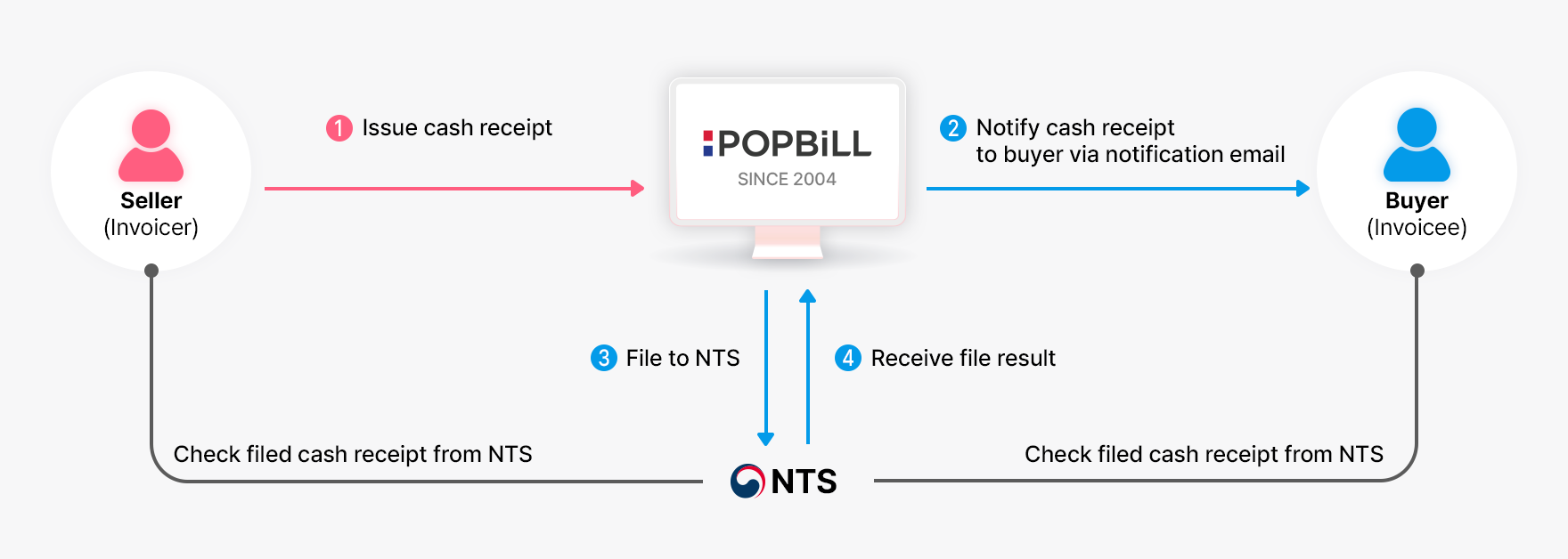
A seller enters the required values of cash receipt and issues. You cannot modify or delete the issued cash receipt, as POPBiLL immediately proceeds the data within the filing queue for the NTS server. [NTS filing option]
Notification Mail
POPBiLL system automatically sends a notification mail to the entered email address on buyer’s information. It is optionally used to notify the issuance to a buyer.
| Document Status | Description | Recipient |
|---|---|---|
| Issued | A seller issued the cash receipt | Buyer |
| ※ Exception applies for the failed NTS filing result, which a notification mail goes to both seller and buyer. | ||
Example of Cash Receipt
-
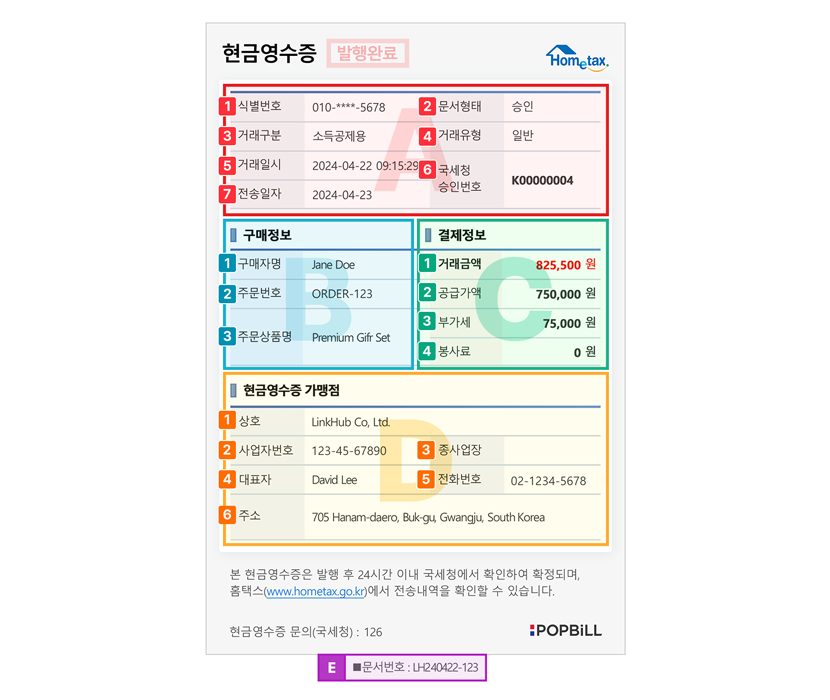
* (asterisk) value indicates mandatory field
Group A Document Information
- 1) Identification number (식별번호)
- 2) Type of cash receipt (문서형태)
- 3) Purpose of issuance (거래구분)
- 4) Trade type (거래유형)
- 5) Date and time of trade (거래일시)
- 6) NTS confirmation number (국세청 승인번호)
-
7) Date of NTS filing (전송일자)
POPBiLL automatically assigns this value when it proceeds to file the issued cash receipt to NTS server
Group B Buyer Information
- 1) Name of the customer (구매자명)
- 2) Order number (주문번호)
- 3) Order product name (주문상품명)
Group C Payment Information
- 1) Total amount (거래금액)
- 2) Supply value (공급가액)
- 3) Tax amount (부가세)
- 4) Service fee (봉사료)
Group D Seller Information
- 1) Company name (상호)
- 2) Business registration number (사업자번호)
- 3) Identification number of a branch place (종사업장)
- 4) CEO name (대표자)
- 5) Telephone number (전화번호)
- 6) Company address (주소)
Group E Document ID (문서번호)