
Data Crawling
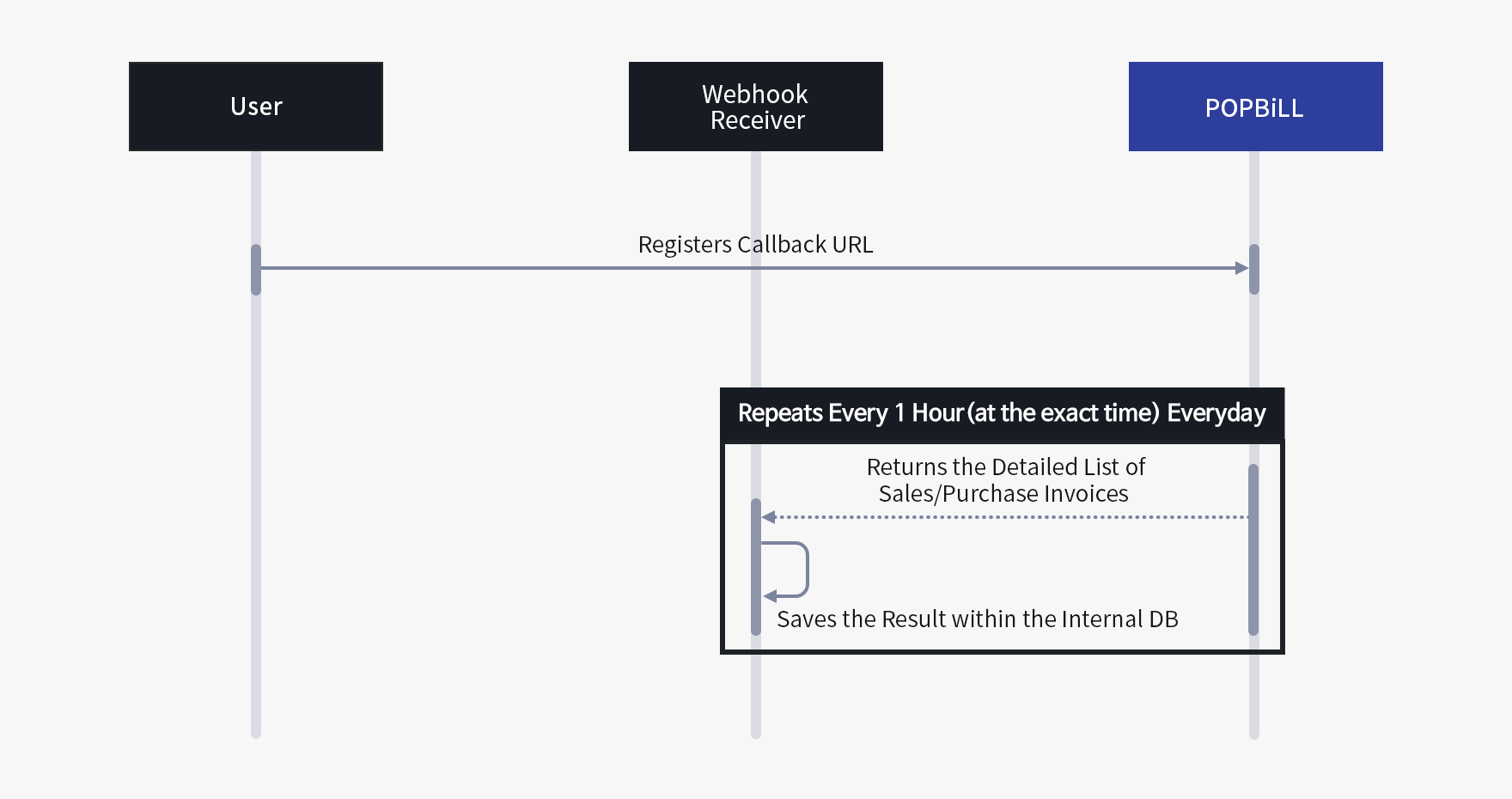
There are two different methods to request for a crawling job : “API(Polling)” method as a partner manually call API to crawl the sales/purchase cash receipt reported in the NTS system and “Webhook(Push)” method as POPBiLL automatically crawls the updated data for every 1 hour(at the exact time) and send it to the designated Callback URL.
If a partner uses “Webhook(Push)” method, it is required to pre-register “HomeTax department user account” in POPBiLL system before requesting a crawling job.
-
POPBiLL automatically crawls the updated data for every 1 hour(at the exact time) and send it to the registered Callback URL. [Webhook]
-
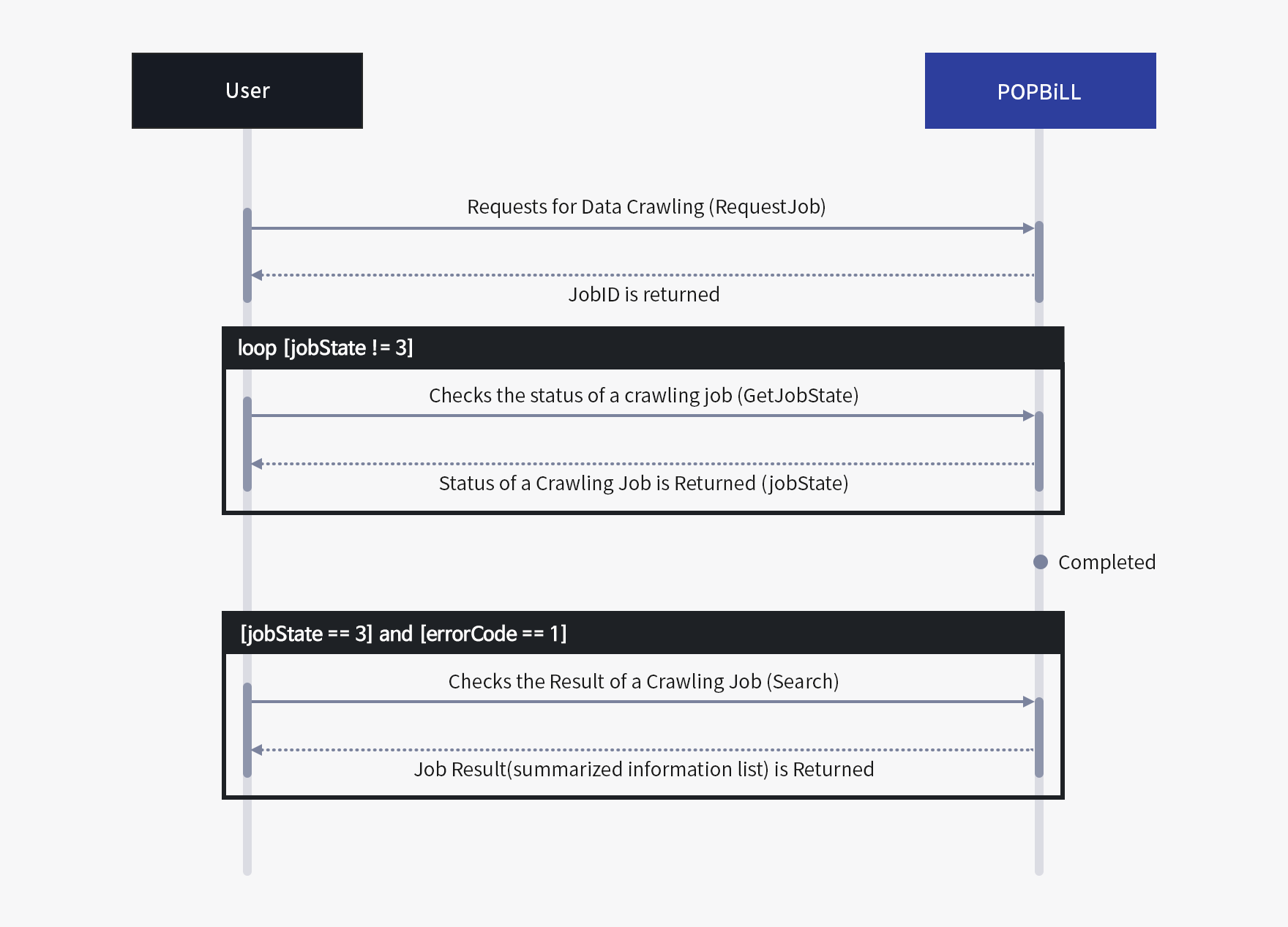
This method indicates when the partner/program provider requests data crawling for any sales/purchase cash receipts reported in HomeTax server via manual API call. Once the crawling job is completed, the partner manually checks the result with Polling method.
-
1. Data Crawling Request [RequestJob API]
- Request the crawling job to POPBiLL server for sales/purchase invoices in HomeTax server. (* you must register the authentication information(HomeTax department user account/joint certificate) to receive a successful response result.)
- You can check the status of a requested crawling job with the returned value of ‘JobID’. (*JobID is valid for one hour only from the exact point of when you called the API.
-
2. Check the Status [GetJobState API]
- You can check the processing state(Registered/Waiting/Processing/Succeeded) and the result(Succeeded/Failed) with the value of JobID.
- The crawled data is only available to access when the processing status and the result is ‘Succeeded’.
-
3. Check the Result [Search, Summary API]
- You can check the detailed information(Search) or summarized information(Summary) of the crawled data.
-
1. Data Crawling Request [RequestJob API]