How to Issue
1. Issuance
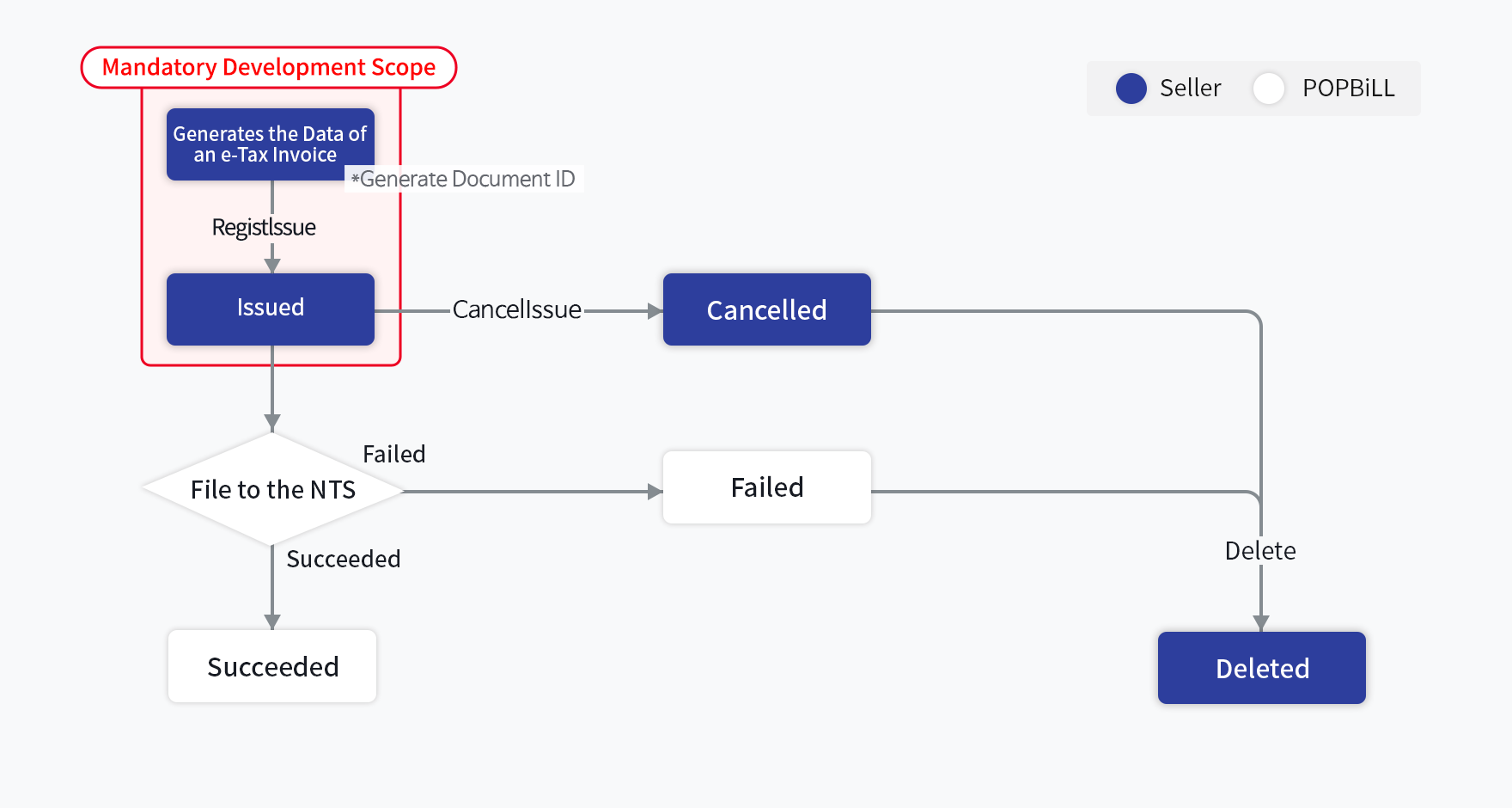
The partner/program provider is only required to implement the issuance part and the rest of the filing process will be proceeded via POPBiLL B/G process.
| Subject of the Writing e-Tax Invoice | Subject of the Digital Signature (for issuance) | Subject of the POPBiLL User Registration | Receiver of the Notification Mail |
|---|---|---|---|
| Seller | Seller | Seller | Buyer |
Prior to issuing a tax invoice, a user must register the certificate(issued with business registration number) in POPBiLL server. [Joint Certificate]
Issuance Process
This process generates the data of a single e-Tax invoice and proceed the issuance with an encrypted data of the registered certificate(signed with a digital signature). [RegistIssue – Issue an e-Tax invoice]
Document ID Management System
The document ID is the identification number(assigned by the partner for internal management purpose) that prevents the duplicated issuance of an e-Tax invoice.
| Subject of Management | Type | Field | Length | Description |
|---|---|---|---|---|
| Partner/Program Provider | Seller’s Document ID | invoicerMgtKey | 24 | Allowed to include alphabets, numbers, ‘-’, ‘_’ |
| POPBiLL | NTS Confirmation Number | ntsConfirmNum | 24 | POPBiLL generates this value as the result of the issuance |
"NTS confirmation number" is the unique value for NTS reporting that is automatically assigned by POPBiLL system.
Status Check
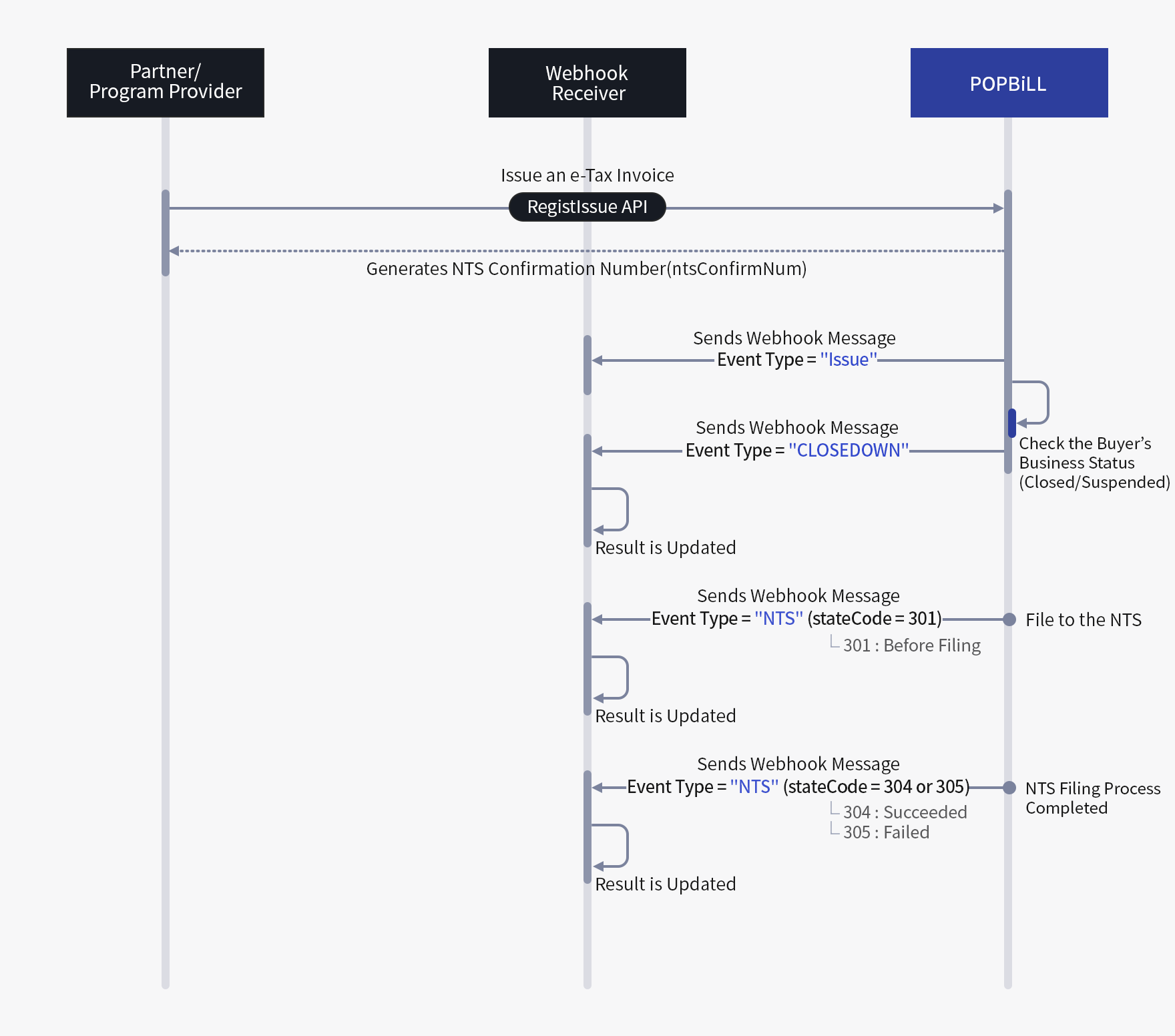
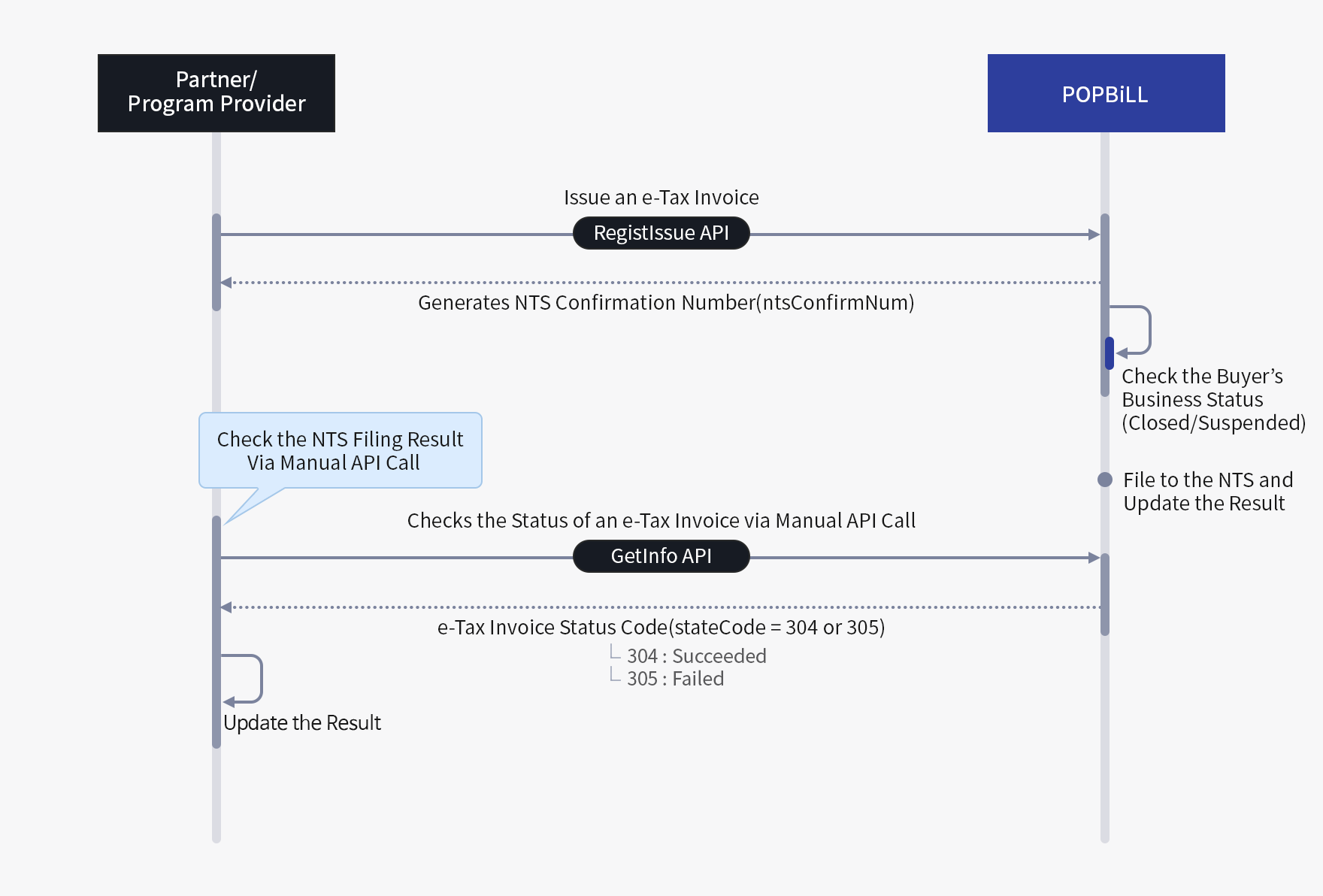
POPBiLL provides two different methods to check the status of the e-Tax invoice.
- Webhook(Push) : program provider receives a real-time event message for any status change of an e-Tax invoice via designated callback URL
- API(Polling) : program provider manually checks the status by periodically requesting the API